20% Discount all New customers
  • english
    English
  • english
    English
  • arabic
    Arabic
  • french
    French

What are you looking for?

product
NewSale

All-in-one IoT development kit

24 Reviews
Write a Review
₹45000₹39999 |Save: (15%) off

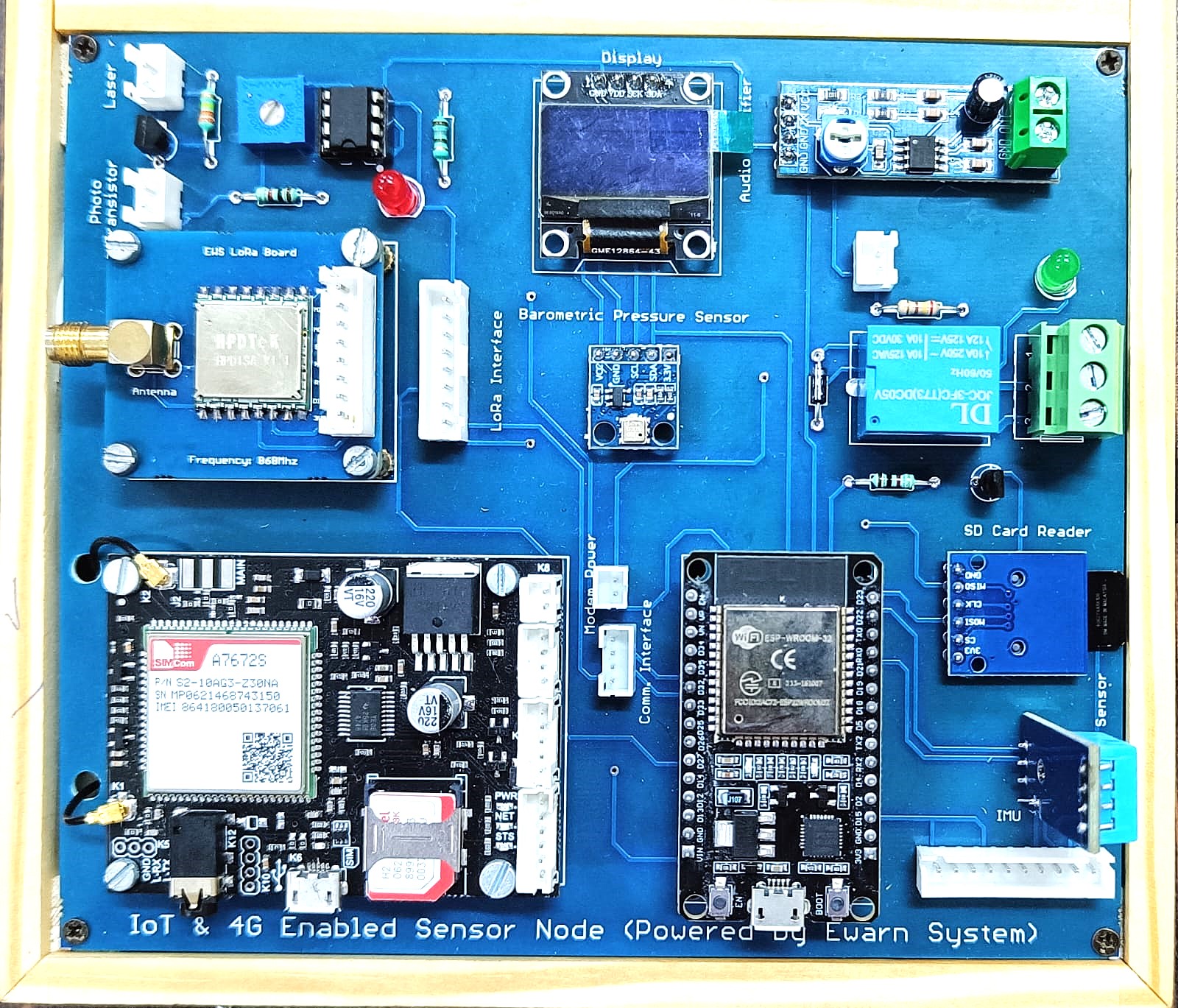
This is an All-in-one IoT development kit developed by Ewarn System Pvt. Ltd. The price includes the manual book, technical support & shipping charges.

In stock

Description

This kit has a variety of sensor interfaces along with actuators (for controlling fan/ac/bulbs), display unit, GPS/GPRS/GSM, Wi-Fi, FSO, Bluetooth, LORA etc. This product will be helping students to learn how to develop products for industrial applications (Make in India). It will help to develop a full stack smart product development including backend and frontend applications. We are giving all the source code along with manuals to learn by the students. We are providing different types of communication interfaces like Wi-Fi, Bluetooth, Lora, GSM/GPRS, FSO transceiver so users can use any type of interface depending upon the applications. For example, if they need to connect from anywhere then they can use Wi-Fi or GPRS as their communication interface, for long-range communication they can use Lora and for low-range Bluetooth. .

Product-detail

  • The Arduino Nano is a small, versatile microcontroller board based on the ATmega328P chip. It's designed for prototyping and projects where space is limited. Here's a breakdown of its components:

Where can be product can be use

ATmega328P Microcontroller: The brain of the Arduino Nano, responsible for executing instructions and controlling inputs and outputs. USB Connector: Used for programming the Arduino Nano and for serial communication with a computer. It's typically a mini USB or micro USB connector. Voltage Regulator: Converts the input voltage (typically 7-12V) to the 5V required by the microcontroller and other components. Power LED: Indicates when the board is powered on. TX/RX LEDs: Indicate when data is being transmitted or received over the serial connection. Reset Button: Used to reset the microcontroller. Reset Pin: Allows external circuits to reset the microcontroller. Digital I/O Pins: Used for connecting to and controlling external devices such as sensors, LEDs, and motors. The Nano typically has around 14 digital I/O pins, which can also be used as PWM (Pulse Width Modulation) outputs. Analog Input Pins: Allow the Nano to read analog signals from sensors and other devices. It typically has around 8 analog input pins.

Your cart (0 Items)

No Products in the Cart

Continue shopping

Your cart (0)

Total:₹0